

Updated: January 9, 2026
I-CAR Gold Body Shop: What It Means and How to Choose the Right One in Brea, CA

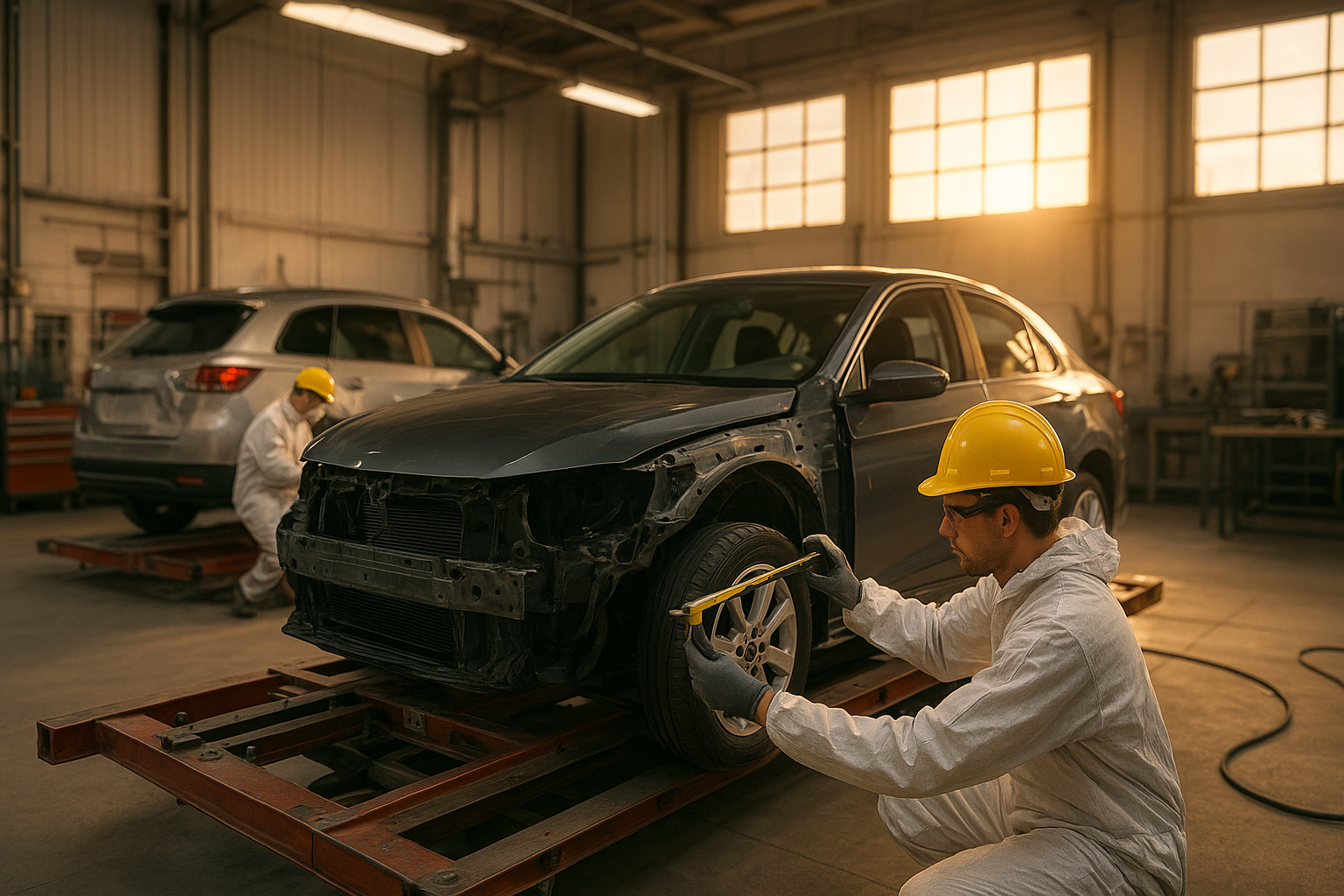
A modern I-CAR Gold body shop prioritizes training, process control, and safety.
If you searched for “I-CAR Gold body shop,” you’re likely navigating a repair after a collision and want the work done right—the first time. This guide explains, in plain language, what the I-CAR Gold Class designation actually stands for, how it impacts safety and resale value, and how drivers in and around Brea, CA can evaluate shops with confidence. We’ll also point you to a trusted local resource—Brea Auto Body in Brea—for estimates and questions about training, calibrations, and OEM repair procedures.
What an I-CAR Gold body shop really signifies
“I-CAR Gold” (often called “Gold Class”) is the collision industry’s benchmark for shop-wide education. Unlike one-time certificates, Gold Class is about role-based training that continues year after year. A shop earns and maintains recognition by ensuring each key role—Estimator/Blueprinter, Non-Structural Technician, Structural Technician, and Refinish Technician—completes specific coursework and keeps up with new vehicle technologies.
That last part matters. Vehicles built in the past five years integrate advanced materials (aluminum, ultra-high-strength steel, composites) and complex driver-assistance systems (ADAS). Those systems change how cars are measured, cut, welded, bonded, refinished, scanned, and calibrated. An I-CAR Gold body shop commits to staying current on those changes so a repaired vehicle behaves as the manufacturer intended in both daily driving and a future crash.

Gold Class recognizes team-wide competence across roles, refreshed through continuous training.
How I-CAR Gold affects the repair you receive
1) Accuracy in damage analysis and repair planning
Gold Class shops are trained to “blueprint” repairs before parts are ordered or metal is moved. That means disassembly to hidden damage, pre-repair scanning, and a parts plan that considers one-time-use fasteners, seam sealers, rivets, adhesives, and corrosion protection. The result is fewer supplement surprises and a more predictable timeline.
2) Structural integrity and materials-specific methods
Modern body structures often combine multiple grades of steel with aluminum or composites. Each material has a different heat tolerance and sectioning allowance. Gold Class training emphasizes choosing the correct joining method—MIG brazing, spot welding, flow-drill screws, bonding/riveting—and validating settings with test coupons and measurement systems. Done right, crash energy will again travel through engineered load paths.
3) Electronics, scanning, and ADAS calibrations
Even a minor fender repair can affect radar, cameras, or ultrasonic sensors. Gold Class programs cover pre- and post-repair scans, calibration preconditions (ride height, thrust angle, aiming targets), and when to perform dynamic versus static calibrations. Shops either invest in an in-house calibration bay or partner with specialized facilities and document results against OEM specs.
4) Refinish quality tied to OEM durability
Waterborne basecoats, color variances across plant codes, and strict film-build requirements demand a methodical approach. Training helps refinish techs achieve color match with blend strategies, manage bake cycles, and restore corrosion protection—details that influence long-term appearance and warranty coverage.
The collision repair process at an I-CAR Gold body shop
While every job is unique, a typical Gold Class workflow follows a documented path with gate checks. Understanding that path helps you ask sharper questions and compare quotes fairly.
- Intake and documentation: Photos, mileage, safety system status lights, fuel level, and customer notes about noises or alerts.
- Pre-scan and blueprinting: Record diagnostic trouble codes; research OEM procedures; disassemble to damage; write the repair plan.
- Structural measurement and setup: Verify datum points; mount to bench if needed; perform pulls within OEM limits.
- Parts procurement: Order OEM or insurer-approved parts; document part numbers and one-time-use items.
- Metalwork and joining: Sectioning, bonding/riveting, weld test coupons, corrosion protection, cavity wax.
- Refinish operations: Substrate prep, primer, waterborne basecoat, blend strategy, clearcoat, bake, texture match.
- Reassembly, post-scan, and calibrations: Torque specs, fluid checks, ADAS aiming, road test.
- Quality control and delivery: Fit-and-finish audit, documentation packet, warranty details, and care instructions.
If your car includes lane centering, 360º cameras, or automatic emergency braking, insist on seeing the calibration results and the OEM procedures referenced in the file. A true I-CAR Gold body shop will include them without being asked.

Clear, documented steps help an I-CAR Gold body shop deliver consistent, safe repairs.
Verifying I-CAR Gold status and comparing shops in 2026
Credentials can change, so verify a shop’s status as of the date you book. Ask to see the current I-CAR Gold Class certificate, the renewal date, and the training transcripts by role. If your vehicle is a recent model year with advanced driver-assistance features, confirm that calibrations are performed in-house or by a vetted partner and that results are documented to OEM requirements.
In Brea and greater North Orange County, start locally: request an estimate and ask training-specific questions at Brea Auto Body. Whether you ultimately choose them or another provider, the conversation will help you benchmark the standard of care you should expect from any I-CAR Gold body shop.
Real-world scenarios where Gold Class makes a difference
Late-model sedan with radar in the bumper
After a low-speed impact, the bumper cover and reinforcement are replaced and paint is blended. A Gold Class shop pre-scans to capture radar-related codes, measures bracket alignment tolerances, refinishes to a film build that won’t block radar, and performs static calibration on a level surface with targets at specified distances. The delivery packet includes calibration screenshots and the exact OEM procedure IDs.
Aluminum hood replacement on a crossover
Aluminum panels can kink easily and require different prep and corrosion protection than steel. A Gold Class technician follows OEM-approved bonding and rivet methods, uses dedicated aluminum tools to avoid cross-contamination, and restores seam sealers and cavity wax to factory-like durability.
Structural side repair on a unibody EV
Electric vehicles add battery isolation, HV disable/enable procedures, and strict sectioning rules. A Gold Class repair plan includes pre- and post-repair insulation checks, precise body measurements, documented adhesive cure times, and ADAS recalibrations affected by ride height or alignment changes.
What to ask before you authorize repairs
Make your comparison meaningful with questions that reveal process rigor, not just price:
- Which OEM procedures are you referencing for my VIN, and how will they be documented in my file?
- Will you perform pre- and post-repair scans and provide calibration results? Where and how are calibrations completed?
- How do you validate weld quality and restore corrosion protection in repaired areas?
- What blend strategy will you use to achieve color match, and how do you control film build?
- If insurer guidelines conflict with OEM procedures, how do you reconcile the difference?
The way a shop answers these questions is as telling as the answers themselves. An I-CAR Gold body shop will discuss procedures calmly, reference documentation, and welcome your request to see the final records.
Local perspective: choosing an I-CAR Gold body shop in Brea
Brea’s mix of commuter sedans, family SUVs, and late-model EVs means a large portion of repairs involve ADAS. Proximity to major corridors like the 57 and Lambert also increases the chance that you’ll need a repair on short notice. When you call or visit, ask about cycle time for common repairs, parts availability for your specific trim, and whether your calibrations can be completed without leaving the vehicle overnight at a third-party facility.
If you’re ready to start the conversation, request an estimate or set up an inspection with Brea Auto Body. Use this guide as your checklist so you can compare any proposal against the Gold Class standard.
Bottom line
Choosing an I-CAR Gold body shop isn’t about chasing a badge—it’s about selecting a repair partner committed to current training, documented procedures, and measurable results. That commitment shows up in the details you can verify: careful blueprinting, materials-correct repairs, validated welds, accurate color match, and complete scans and calibrations. When those details are right, your vehicle looks and drives like it should, and its safety systems are ready if they’re ever needed.
Have questions about training, estimates, or calibrations? Start locally with a conversation at Brea Auto Body in Brea, and use this article to guide the questions that matter most.

